

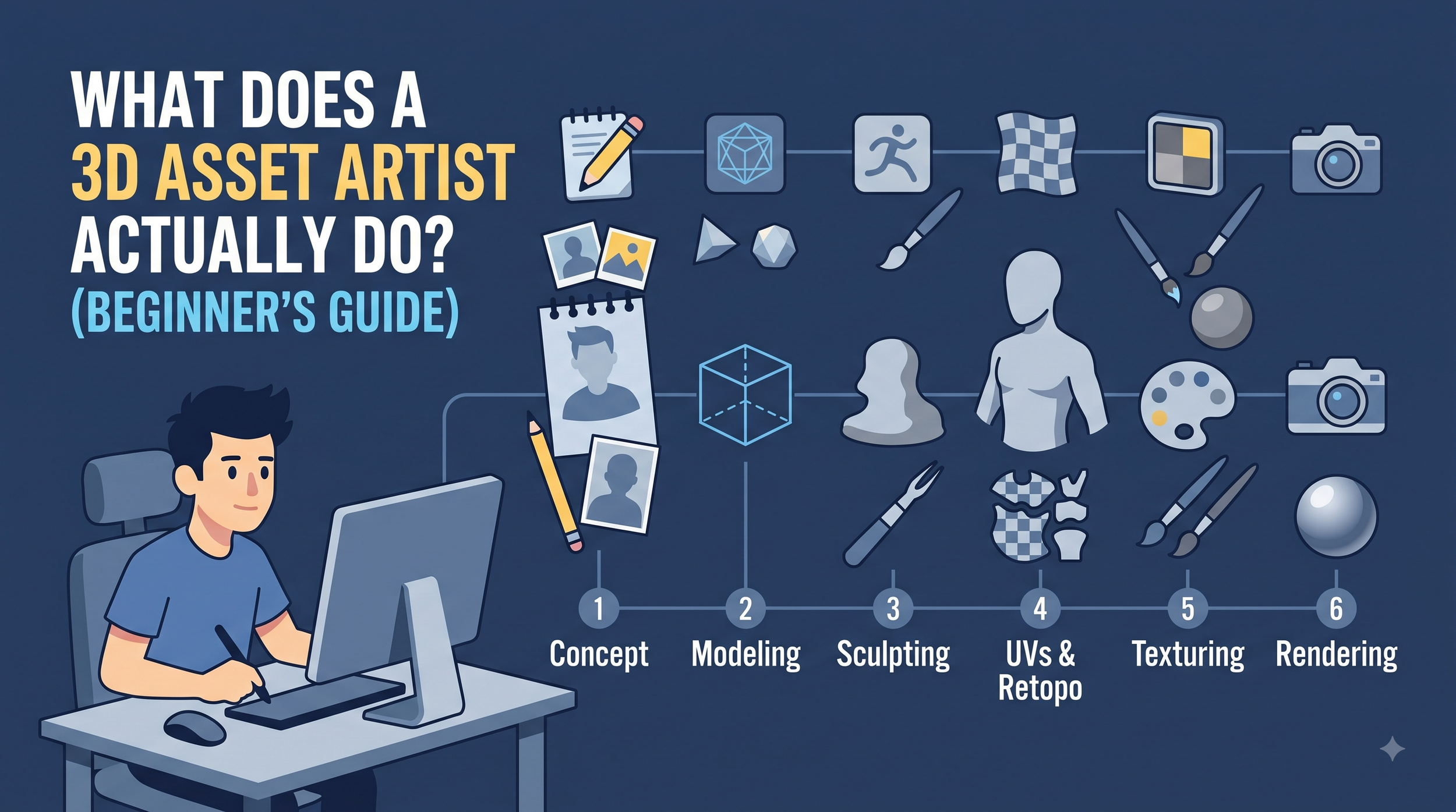
If you've ever played a video game or watched an animated film and wondered how the guns, vehicles, buildings, or creatures on screen actually got there, the answer usually starts with one person sitting in front of a 3D viewport: the 3D asset artist.
It's a job title that sounds simple but covers a surprising amount of ground. A 3D asset artist isn't just "making models" — they're translating a flat idea, sometimes just a sketch or a paragraph of description, into an object that has to survive contact with a real production pipeline. It has to look right, move right, load fast, and hold up under a game engine's lighting. This guide breaks down what that actually involves, step by step.
The Short Answer
A 3D asset artist designs and builds the individual 3D objects that populate games, films, product visualizations, and digital media — everything from a coffee mug to a spaceship. Their job is to turn a concept into a model that's technically ready to be used, not just something that looks good in a still render.
That distinction matters more than it sounds. A pretty 3D model and a production-ready 3D asset are not the same thing, and the gap between them is most of what the job actually is.
Where the Work Starts: Concept to Blueprint
Almost no asset starts from a blank scene. It starts with reference — concept art, photos, a client's rough sketch, or sometimes just a written brief describing the object. The artist studies proportions, silhouette, and functional details before opening any modeling software, because guessing at scale or shape early on causes rework later.
For anything mechanical or vehicle-based, this stage often includes blueprint-style orthographic references (front, side, top views) to keep dimensions accurate. This is also where the artist decides how much detail the asset actually needs, which depends entirely on where it's going to be used.
Building the Base: Modeling
This is the part most people picture — pushing and pulling vertices, edges, and faces in software like Blender, Maya, or 3ds Max to construct the object's shape. There are two broad approaches:
Hard surface modeling — used for vehicles, weapons, machinery, architecture. Precise edges, clean topology, mechanical logic.
Organic modeling — used for characters, creatures, and natural forms. Often built through digital sculpting, where the artist works more like a virtual clay sculptor.
Most 3D asset artists lean toward one specialty, though many can do both. The end goal at this stage is a high-poly model: dense, detailed, and accurate, but usually too heavy to use directly in a game or real-time engine.
The Unglamorous but Critical Step: Retopology
Here's where a lot of beginners get surprised. That beautiful high-poly model often can't be used as-is. For games especially, it needs to be rebuilt with a clean, efficient mesh — a process called retopology.
Retopology means manually redrawing the model's surface with fewer, better-organized polygons, arranged so the asset deforms correctly (if it needs to animate) and runs efficiently in real time. It's tedious, detail-obsessed work, and it's often the difference between an asset that performs well in-engine and one that causes lag, shading errors, or animation glitches down the line.
UVW Mapping: Preparing the Asset for Texture
Before an asset can be painted or textured, it needs a UV map — essentially, an unfolded, flattened version of the 3D surface, like peeling an orange and laying the skin flat. This is called UVW mapping, and it's one of the most technical, least visible parts of the job.
Bad UVs cause stretched textures, visible seams, and wasted texture resolution. Good UVs are efficient, minimize distortion, and make the texturing artist's job (sometimes the same person, sometimes a specialist) much easier. It's not creative work in the traditional sense, but it's exactly the kind of step that separates hobbyist models from client-ready assets.
Texturing and Materials
Once the UVs are laid out, the asset gets its surface: color, roughness, metallic properties, scratches, wear, grime — whatever tells the object's story. Modern workflows typically use PBR (Physically Based Rendering) materials, which are built to react realistically to light across different engines and lighting conditions.
This stage is where an asset stops looking like gray geometry and starts looking like a real object — worn metal, polished wood, weathered concrete, whatever the brief calls for.
Rigging and Optimization (When Needed)
If the asset needs to move — a character, a creature, a vehicle with working parts — it may need rigging: building an internal skeleton and control system so animators can pose or animate it. Not every asset needs this, but when it does, it has to be planned for back at the retopology stage, since a poorly built mesh is very hard to rig cleanly.
Alongside this, the artist has to think about optimization: polygon count, texture size, level-of-detail (LOD) versions for distance rendering, and file size — all the technical constraints that a game engine or film pipeline actually enforces.
Final Delivery: Game-Ready or Production-Ready
The last step is packaging the asset correctly for its destination — exporting in the right file format, with the right naming conventions, correct scale, and clean file organization, so it drops into a client's or studio's pipeline without friction. A great 3D asset that's delivered in a messy, non-standard format creates more work for everyone downstream, so this final handoff matters more than beginners usually expect.
So, What Does a 3D Asset Artist Actually Do?
In short: they take an idea and carry it through concept, modeling, retopology, UV mapping, texturing, and technical delivery — solving both a creative problem and a production problem at every stage. It's part sculptor, part technician, part problem-solver, and the good ones are equally comfortable with an artistic eye and a spreadsheet of polygon budgets.
If you're a studio, indie developer, or filmmaker trying to figure out whether you need this kind of specialist on your project, the short version is: if your asset needs to look good and actually function inside a real pipeline — not just sit in a portfolio render — that's exactly the gap a 3D asset artist is trained to close.
Looking for game-ready or production-ready 3D assets for your next project? Polygon Tech designs detailed 3D assets and environments for games, film, and digital media, built to drop straight into your pipeline. Get in touch to talk about your project.
